Support Ticket Classifier on SageMaker: Measured Latency and Cost per Million Tickets
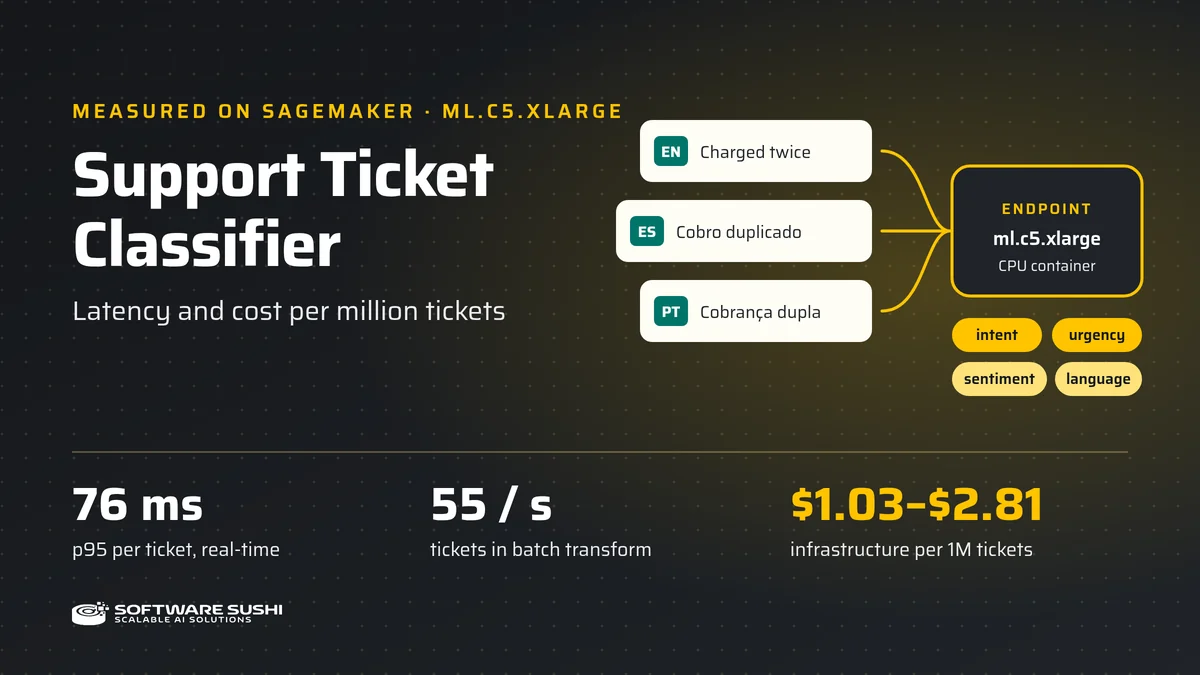
Before you route support tickets through a model, you need two numbers: how long one ticket takes, and what a million tickets cost. We built the Support Ticket Classifier and sell it on AWS Marketplace, so we deployed it on Amazon SageMaker and measured both.
The classifier reads a ticket in English, Spanish, or Portuguese and returns its intent, urgency, sentiment, and language. On November 12, 2026, we ran the same container image that backs the Marketplace package on one ml.c5.xlarge instance in us-east-1. We tested a real-time endpoint and a batch transform job, and we deleted every resource afterward. This post gives the results, how we got them, and where they stop applying.
What the classifier returns
You send one ticket as JSON. The buyer guide uses this example request:
{
  "id": "T-1",
  "subject": "Cobro duplicado",
  "body": "Me cobraron dos veces. Revisen la factura hoy."
}
The response has these fields:
- Intent: one of nine labels, such as
billing,refund, oraccount_access, with a score and the top three candidates intop_k. - Urgency:
low,medium, orhigh. - Sentiment:
negative,neutral, orpositive. - Language:
es,pt,en, orunknown. - Review flags:
needs_reviewandreview_reasonsmark some uncertain results for a person to check.
The scores are not calibrated probabilities. A ticket without a review flag can still be wrong, so keep a person in the loop until you have tested the model on your own tickets.
How a ticket travels through SageMaker

- The client calls the endpoint. For the test, the client was an AWS Lambda function in the same region as the endpoint. That keeps internet distance out of the latency numbers.
- SageMaker passes the call to the container. The endpoint ran with network isolation on, so the container had no outbound network access. The container accepts two calls at a time. It answers extra calls with HTTP 429, which SageMaker returns to the client as a
ModelError. - The container classifies the ticket on CPU. The encoder is
intfloat/multilingual-e5-small(MIT license), frozen and exported to ONNX. Our linear heads (Apache-2.0) predict intent, urgency, and sentiment from its embedding plus a small set of word-rate features. The Lingua library detects the language. All weights are inside the image, so inference downloads nothing. - The endpoint returns JSON. The result also carries
model_revision, so you can confirm which model answered.
The training data is synthetic or public: our own synthetic tickets in the three languages, plus public intent datasets under open licenses. No customer tickets went into the model or into this test.
How we ran the test
- Date and place: November 12, 2026, in
us-east-1, with oneml.c5.xlargeinstance and network isolation on. - Artifact: version 1.0.0, the same image digest and model revision that we certified for the Marketplace package. We did not rebuild it for the test.
- Client: an AWS Lambda function in the same region. Latency is the full time the client waited for each call, including the network hop inside the region.
- Tickets: synthetic tickets of 75 to 145 characters. No customer data.
- Percentiles: nearest rank over the raw samples. p95 is the value that 95% of calls stayed at or below.
- Spend: about 1 cent of instance time ($0.0095), or at most $0.0272 if SageMaker also billed the start-up minutes. A guard was set to delete everything after 90 minutes. We deleted the resources ourselves before the guard fired.
Amazon Web Services did not review or endorse these measurements. They describe one run of our product.
Real-time: under 80 ms per ticket at p95
We created the endpoint, waited for it to report InService, and sent one ticket. We then sent 10 warm-up calls and 200 measured calls, one after another.
| Measurement | Result |
|---|---|
Create call to InService | 148 s |
First call after InService | 154.09 ms |
| Warm p50, 200 serial calls | 67.53 ms |
| Warm p95 | 76.21 ms |
| Warm p99 | 83.96 ms |
| Slowest of the 200 calls | 112.54 ms |
The endpoint took about two and a half minutes to start. We checked its status every 15 seconds, so it may have been ready up to 15 seconds sooner. The first call took about twice as long as a warm call. Plan for that start-up time if you create endpoints on demand.
The warm numbers match our qualification run on November 6, 2026, closely but not exactly. That run measured a p95 of 76.30 ms on the same image. A separate measurement from a workstation over the internet that day had a p95 of 123.52 ms. Your own network path adds to the numbers in the table.
Throughput: two calls at a time
The container accepts two calls at a time. With the client keeping two calls in flight, all 200 calls succeeded, at 28.64 tickets per second.
We also tried four calls in flight. 167 of 200 calls succeeded and 33 got a busy response. That run shows how the endpoint behaves under overload. It is not a capacity rating. If you send more than two calls at a time to one instance, retry busy responses with exponential backoff and jitter. We did not test more than one instance.
Batch transform: twice the speed, plus a fixed start-up
Batch transform reads tickets from a file in S3 and writes the results back to S3. We ran a job with 5,000 synthetic tickets in JSON Lines, one ticket per call (SingleRecord, SplitType=Line) and two calls at a time (MaxConcurrentTransforms=2). All 5,000 results came back.

| Measurement | Result |
|---|---|
| Provisioning, job created to transform start | 157.0 s |
| Transform runtime | 90.6 s |
| Throughput during the runtime | 55.18 tickets/s |
| Throughput including provisioning | 20.19 tickets/s |
Once it was running, the batch job classified tickets 1.9 times as fast as the real-time test. We have not measured why. The start-up does not shrink with the file, though. For 5,000 tickets, provisioning was 63% of the job's time. A large file spreads those 157 seconds over more tickets. A small file pays them almost in full.
What a million tickets cost
We did not buy a subscription, and we did not take these costs from a bill. We computed them from the measured throughput and the published prices:
- Infrastructure: $0.204 per hour for
ml.c5.xlargeinus-east-1, for both real-time hosting and batch transform, from the Amazon SageMaker AI pricing list. - Software: $0.70 per instance-hour, the list price on the Support Ticket Classifier listing. The buyer pays $0.904 per hour in total.
Cost per million tickets is the price per hour divided by the tickets per hour, times one million.

| Mode | Tickets/s | Infrastructure | With list software price |
|---|---|---|---|
| Batch, transform runtime only | 55.18 | $1.03 | $4.55 |
| Real-time, two calls in flight | 28.64 | $1.98 | $8.77 |
| Batch, including provisioning | 20.19 | $2.81 | $12.44 |
The real-time figure holds only while the endpoint is busy. An endpoint bills for every hour it runs, with or without traffic. At list prices, one endpoint left on for a 730-hour month costs about $149 in infrastructure, or about $660 with the software price. If your tickets come in bursts, batch jobs or deleting idle endpoints can cost less than an endpoint that waits for traffic.
The listing includes a 14-day software trial. AWS infrastructure charges still apply during the trial. Data transfer, S3 storage, and the Lambda client are not in these figures.
Quality on the live endpoint
During the same run, we sent our frozen regression set through the endpoint: 81 synthetic tickets, 27 in each language, with every label present in every language. All of our release thresholds passed.
| Task | Result |
|---|---|
| Intent macro-F1, English | 1.00 |
| Intent macro-F1, Spanish | 0.92 |
| Intent macro-F1, Portuguese | 0.96 |
| Urgency macro-F1 | 0.84 |
| Sentiment macro-F1 | 0.94 |
| Language accuracy | 1.00 |
Read these as a regression check, not as the accuracy you will see. The tickets are synthetic, and the three languages share translated scenarios, so they are not 81 independent cases. We froze the set before training, but we have measured it many times, so it is not a blind test. It confirms that the deployed endpoint still passes the same release thresholds as the model we certified. To estimate accuracy on your traffic, label a sample of your own tickets and test on those.
Limits of these numbers
- One instance, one region, one day. Another region or another day can give different numbers.
- Short tickets. Our tickets had 75 to 145 characters. The encoder reads only the first 128 tokens, and we did not measure long tickets.
- A client in the same region. A client in another region or on the internet adds its own network time.
- Derived costs. The cost figures are measured throughput multiplied by list prices. They are not a bill, and they include only instance-hours.
- Synthetic quality data. The F1 scores show that the deployment matches the release. They do not predict accuracy on your tickets.
Questions before you deploy
Does ticket text leave my AWS account?
The model runs in a container in your account. With network isolation on, the container has no outbound network access, and its server does not log ticket text or query strings. You control your own AWS logging, data capture, and storage settings, so review those too.
Which instance type should I use?
Use ml.c5.xlarge. It is the instance type that we qualified and measured. Serverless inference is not supported.
Does the classifier remove personal data from tickets?
No. It classifies the text that you send and returns labels. Remove personal data before the call if your policy requires that.
Match the mode to how your tickets arrive
For a steady stream that needs an answer within a request, a real-time endpoint answered in under 80 ms at p95 for $1.98 of instance time per million tickets. For a backlog or a nightly export, a batch job classified tickets about twice as fast once it was running. With 5,000 tickets, its start-up made it cost more per ticket than real-time: $2.81 against $1.98 per million. A larger file spreads that start-up over more tickets.
To try it, open the Support Ticket Classifier on AWS Marketplace, read the buyer guide, and run the notebook in the public examples repository. To see our other listings, visit Software Sushi on AWS Marketplace. For a model trained on your own categories, see our custom machine learning development services, read why machine learning models quietly get worse after launch, or book a discovery call.