Train a Custom YOLO Object Detector on a Mac: Dataset to Live Video
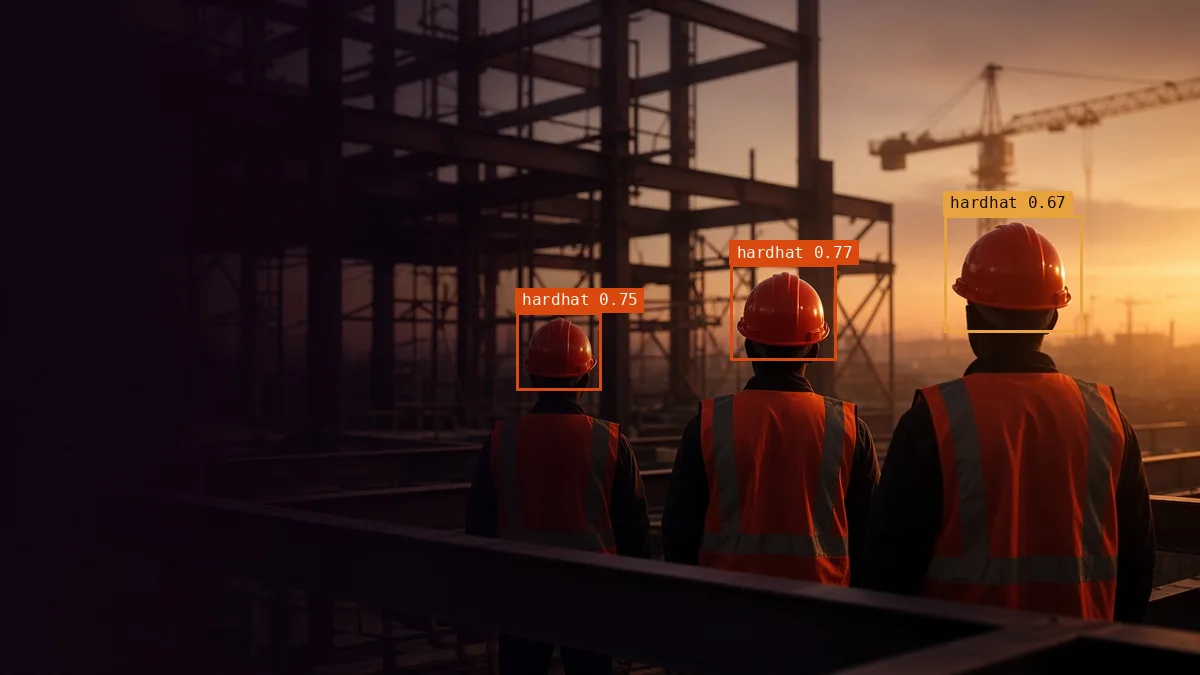
In this tutorial, we train a YOLO model to find a class that the stock model does not know: hard hats, and people without one. We fine-tune it on a MacBook Air with an Apple M4, export it to CoreML and ONNX, measure how fast each format runs, and draw boxes on video frame by frame. All the code, the training log and the charts are in SoftwareSushi/yolo-custom-detector on GitHub.
Every number in this post comes from one run on 2026-10-25. One run on a small subset is a starting point, not a benchmark.
Watch the whole run in 82 seconds
The video goes through the pipeline, the training curves, the test results, the speed of each format, and the detector running on held-out test images.
Five steps from images to boxes
A custom detector is the same five steps every time. Only the dataset and the number of epochs change.
Get a labeled dataset
We use the Hard Hat Detection dataset, a Roboflow Universe export with two classes, hardhat and no-hardhat, at 640 × 640 pixels. It is licensed CC BY 4.0. Its labels come in COCO format, so the script converts them to YOLO text files and keeps a fixed random subset:
git clone https://github.com/SoftwareSushi/yolo-custom-detector
cd yolo-custom-detector
python3.11 -m venv .venv && source .venv/bin/activate
pip install -r requirements.txt
python scripts/prepare_dataset.py
You should see one line per split:
train: 2000 images, 5610 boxes
val: 400 images, 1140 boxes
test: 200 images, 534 boxes
wrote datasets/hardhat/data.yaml
Each label file has one line per box: the class index, then the box center, width and height as fractions of the image size. data.yaml points YOLO at the three folders and names the classes. To use your own class, label your images in any tool that exports YOLO format and write the same data.yaml.
Fine-tune on Apple Silicon
We start from the pretrained YOLO11n weights, the smallest model in the family. The pretrained model already knows edges, shapes and people, so it only has to learn the new classes. Run:
python scripts/train.py # YOLO11n, 30 epochs, imgsz 640, batch 16, device=mpsdevice=mps sends the work to the M4 GPU through PyTorch's Metal backend. Each epoch took about 80 seconds, and the run finished with 30 epochs completed in 0.685 hours. At the end, the script evaluates best.pt on the test split, which the model never saw during training.
Read the training results
results.csv. mAP50 counts a box as correct when it overlaps the labeled box by at least 50%. mAP50-95 averages stricter overlaps, up to 95%.Both lines climb fast for five epochs and then rise slowly. The curve is still going up at epoch 30, so more epochs would likely help a little. The validation scores at epoch 30 were precision 0.847, recall 0.834, mAP50 0.877 and mAP50-95 0.510.
The held-out test split gives the honest number:
The hardhat class has the lower mAP50-95 (0.452), even with five times more boxes than no-hardhat. mAP50-95 rewards tight boxes, and in the frames we checked, many hard hats are small and far away, where a few pixels of error matter more. We did not measure this by object size, so treat it as a lead: add more distant examples first and check whether the score moves.
Export to CoreML and ONNX
python scripts/export.pyThis writes best.mlpackage (5.2 MB) for Apple devices and best.onnx (10.2 MB) for ONNX Runtime on other hosts. The CoreML export failed on our first try with numpy 2.4 and torch 2.14: only 0-dimensional arrays can be converted to Python scalars. It worked with numpy below 2.3 and torch 2.7.0, which is why requirements.txt pins them.
Then we timed the same weights in four ways on the 200 test images:
python scripts/benchmark.pyresults/benchmark.json.CoreML was about three times faster than PyTorch on the GPU. CoreML picks the M4's compute units itself, so this compares the full stacks, not the chips. If the detector runs on a Mac or an iPhone, ship the CoreML file. ONNX is the portable choice for Linux servers and other hardware.
Run it on live video
scripts/live.py reads frames from a webcam or a video file, runs the model on each frame, and draws a box and a confidence score for every detection:
python scripts/live.py                                   # webcam 0, press q to quit
python scripts/live.py --source clip.mp4 --save out.mp4 --no-show
macOS gives the camera only to apps that you allow in System Settings > Privacy & Security > Camera, and an SSH session cannot ask. We ran the demo over SSH, so we played 11 held-out test images as a video. The CoreML model averaged 159.9 frames per second, counting model time only.

live.py with the CoreML model. The counter shows model time only. Some scores are low, and a few distant helmets have no box.What we verified, and what we did not
- Verified: training on MPS, the validation and test metrics above, both exports, and the speed of each format on the same 200 images.
- Not tested: a real webcam stream, an iPhone, other Macs, and other seeds or larger subsets. We trained once, so we cannot say how much the scores vary between runs.
Get the code
The Software Sushi repository has the five scripts, results.csv, the Ultralytics plots for both splits, the benchmark output and the detection clip: github.com/SoftwareSushi/yolo-custom-detector. The code is AGPL-3.0, the same license as Ultralytics, which it uses.
Frequently Asked Questions
What do I need to train a custom YOLO model?
Labeled images in YOLO format, split into training, validation and test folders, and a data.yaml file that points to them. A few thousand boxes for each class is a reasonable start. We used 5,610 boxes for two classes.
Should I start from a pretrained YOLO model?
Yes. Pretrained weights already detect general shapes, so fine-tuning needs much less data and time than training from scratch. Our run started from YOLO11n.
How long does YOLO training take on a Mac?
Our run took 41 minutes for 30 epochs on 2,000 images at 640 pixels on an M4 MacBook Air. Time grows with the number of images, the image size, the epochs and the model size.
How do I know the training worked?
Look at the validation curves in results.csv, and then score the model on a test split it never saw. Check each class separately, because one weak class can hide behind a good average.
Which export format should I use?
Use CoreML for Apple devices. It was the fastest format in our test, at 142.1 images per second. Use ONNX for Linux servers, Windows and other accelerators.
When should I use YOLO instead of OpenCV Haar cascades?
Use YOLO when you need several classes, varied angles and lighting, or objects that a hand-built feature cannot describe. Haar cascades are still fine for a narrow, fixed task such as frontal faces on hardware with no GPU.
Where to go next
A custom detector is only as reliable as the images it trained and tested on. For classical preprocessing that pairs well with a trained detector, see the OpenCV filtering, thresholding, and segmentation guide and edge, shape, and feature detection with OpenCV. For a classical detector, see face detection with OpenCV.
If you are moving a detector from a notebook to production, our computer vision development services cover labeling, evaluation on your own images, and deployment to cloud or edge hardware.